Deploy, approve and audit
A deploy starts the automation. Three rules make it safe: you deploy the exact spec you reviewed, changes wait for a person, and everything is logged.
Deploy
opslens deploy generated/unattached_volume_cleanup
With no --approve, this prints what you would be starting (a plain-English summary and the spec hash) and stops. To go ahead, pass that hash:
opslens deploy generated/unattached_volume_cleanup --approve c9b1866660513c87
If the spec has changed since you read it, the hash no longer matches and the deploy is refused. In the app's My automations tab you tick I reviewed this spec (hash ...) before Deploy becomes available, and the app sends the hash for you.
A deploy starts one Flowpipe server for the mod (triggers only fire for the top-level mod, so each deployed automation gets its own). Its state lives under .opslens/<mod>/ in your workspace folder.
Schedules ship switched off. Add --enable-schedule when you actually want it to run by itself:
opslens deploy generated/unattached_volume_cleanup --approve <hash> --enable-schedule
Connections and credentials
The automation talks to AWS, Jira, Teams and the rest through Flowpipe connections, configured the Flowpipe way (see Flowpipe's connection docs), usually alongside the credentials you already use for Steampipe. opslens never reads or stores them, and a spec that has a secret inline is refused.
Run it
opslens run generated/unattached_volume_cleanup
For an automation with a schedule, the schedule runs it; run is "run now". It waits for the run to finish. If the run reaches an approval, it stops and prints the approval link.
Approve
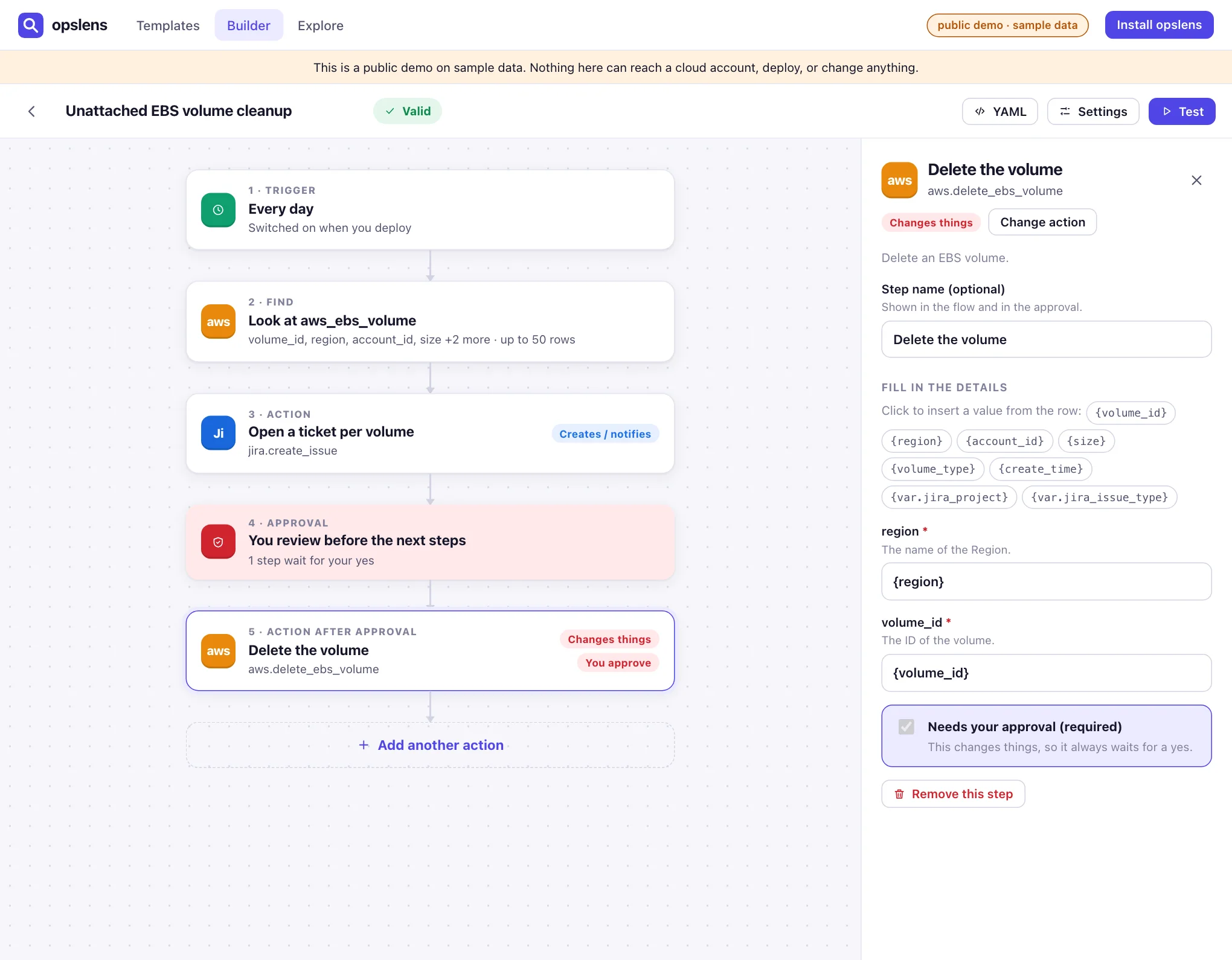
When a run reaches the approval step, Flowpipe pauses and nothing after it runs. You answer in one of three ways, and all three are the same answer:
- open the approval link in a browser;
opslens approve generated/unattached_volume_cleanup <execution-id> --choice approve(or--choice skip);- click Approve or Skip in the app's My automations tab.
Skip means the gated steps never run, so nothing is changed. Only the steps marked You approve wait; steps that create tickets or post messages have already run.
The audit log
opslens runs generated/unattached_volume_cleanup
An append-only log of every deploy (with the spec hash that was approved), every run, and every approval answer, with time and actor. It is a local SQLite file in the mod's state folder, so it survives restarts and you can query or ship it as you like. The app shows the same log under Audit log.
Stop it
opslens undeploy generated/unattached_volume_cleanup
The whole path
| Step | Command | Changes anything? |
|---|---|---|
| Render | opslens render / pack install |
Writes files |
| Validate | opslens validate |
No |
| Preview | opslens preview |
No |
| Deploy | opslens deploy --approve <hash> |
Starts a local Flowpipe server |
| Run | opslens run |
Creates tickets and messages; changes wait |
| Approve | opslens approve / link / app |
Lets the gated steps run |