Quick start
Five minutes, no cloud account, no credentials, no AI. Everything below runs on built-in sample data. You will find data, install a template, read it in plain English, and see exactly what a run would do.
1. Find the data and the actions
opslens search "unattached ebs volumes older than 14 days, then open a jira ticket and post to teams"
opslens splits your sentence into the data to look at (Steampipe tables such as aws_ebs_volume) and the actions to take (Flowpipe pipelines such as jira.create_issue). See Find tables and actions.
2. Run a read-only query on sample data
opslens query --source demo "select volume_id, region, size from aws_ebs_volume where state = 'available'"
Queries are guarded: one SELECT, tables from the catalog, a timeout and a row cap. Try drop table aws_ebs_volume to see it refused (exit code 3).
3. Install a template
opslens pack list
opslens pack install finops-cleanup/unattached-volumes --var jira_project=INFRA
This writes a Flowpipe mod into generated/unattached_volume_cleanup/. Open it: spec.yaml is the source of truth, the rest is generated from it.
4. Read it, then validate it
opslens explain  generated/unattached_volume_cleanup
opslens validate generated/unattached_volume_cleanup --no-load
explain says in plain English what it queries, what runs by itself, and what waits for approval. validate checks the spec against the catalogs and safety rules.
5. Preview: what would a run do right now?
opslens preview generated/unattached_volume_cleanup --source demo
You see how many rows matched and, for every action, the exact arguments it would send, plus the line that matters: 0 state changes made (this was a preview).
6. Open the web app
pip install 'opslens[web]'      # skip if you installed with OPSLENS_EXTRAS="web"
opslens serve                   # http://127.0.0.1:8077
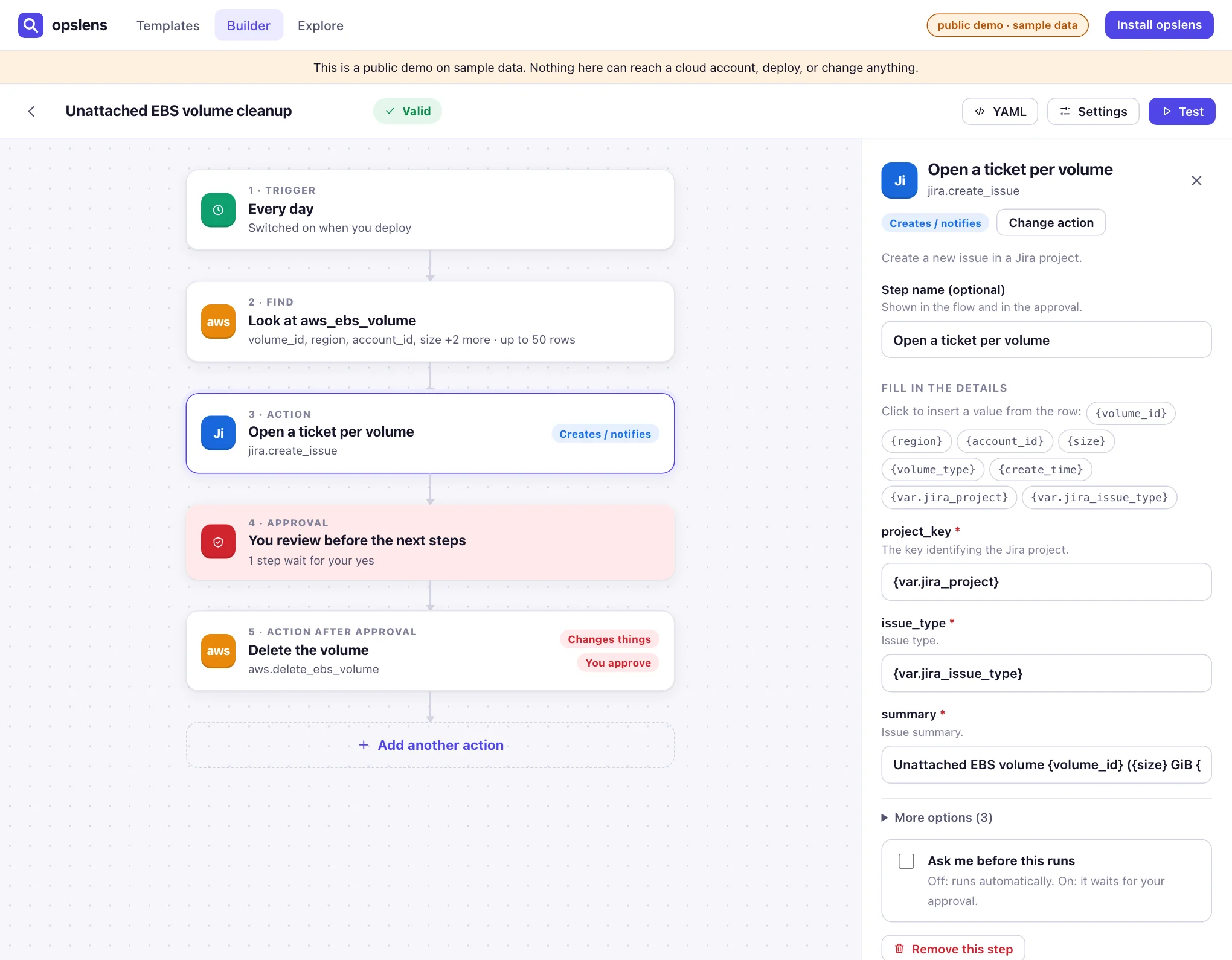
The same engine with a visual builder: pick a template, click a step to edit it, press Test. See The web app.
The whole tour as one script
curl -fsSLO https://raw.githubusercontent.com/devops-monk/opslens/v0.2.1/examples/demo.sh && sh demo.sh
Next
- Connect an account and test on live data, then deploy.
- Build your own in the web app or from the spec format.
- Let AI draft it from a sentence.