Use cases
Four automations ship as templates, and they cover the common shapes: clean up waste, enforce a standard, turn alerts into tickets, and gather context during an incident. Each one is a few steps you can read, test on sample data, and change. A fifth section shows how to build one from scratch.
Clean up unattached EBS volumes
The problem. Volumes nobody uses keep costing money, and nobody wants to delete one without a record.
Template: finops-cleanup/unattached-volumes · runs daily · AWS + Jira
- Find volumes in state
availablethat are more than 14 days old. - Open a Jira ticket for each one, so there is a record and an owner can object. This runs on its own.
- Approval: Delete these unattached volumes? You see the list.
- Delete each volume. Runs only after you approve.
opslens pack install finops-cleanup/unattached-volumes --var jira_project=INFRA
opslens preview generated/unattached_volume_cleanup --source demo
Change the 14 days in the query, the Jira project in the variables, or add a step that posts to Teams.
Enforce owner tags on EC2
The problem. Untagged instances can't be charged back or traced to a team.
Template: governance/tag-enforcement · runs daily · AWS + Jira
- Find running EC2 instances with no
Ownertag. - Open a Jira ticket per instance asking for an owner.
- Approval.
- Tag the instance
compliance=missing-owner, so it shows up in cost reports and dashboards. Runs only after you approve.
opslens pack install governance/tag-enforcement
Turn serious GuardDuty findings into tickets
The problem. High-severity findings sit in a console nobody checks.
Template: security/guardduty-to-jira · runs hourly · AWS + Jira
- Find findings of severity 7 or more from the last 7 days that do not already have a Jira issue (the query checks Jira, so a finding is never filed twice).
- Open a ticket per finding, with its type, severity and first-seen time.
Nothing here changes a resource, so there is no approval step; the cap on rows per run keeps a flood of findings from becoming a flood of tickets.
opslens pack install security/guardduty-to-jira
Incident copilot
The problem. When an alert fires, someone spends ten minutes asking "what changed?" in four tools.
Template: incident/incident-copilot · on demand · Opsgenie + GitLab + Jira + Teams
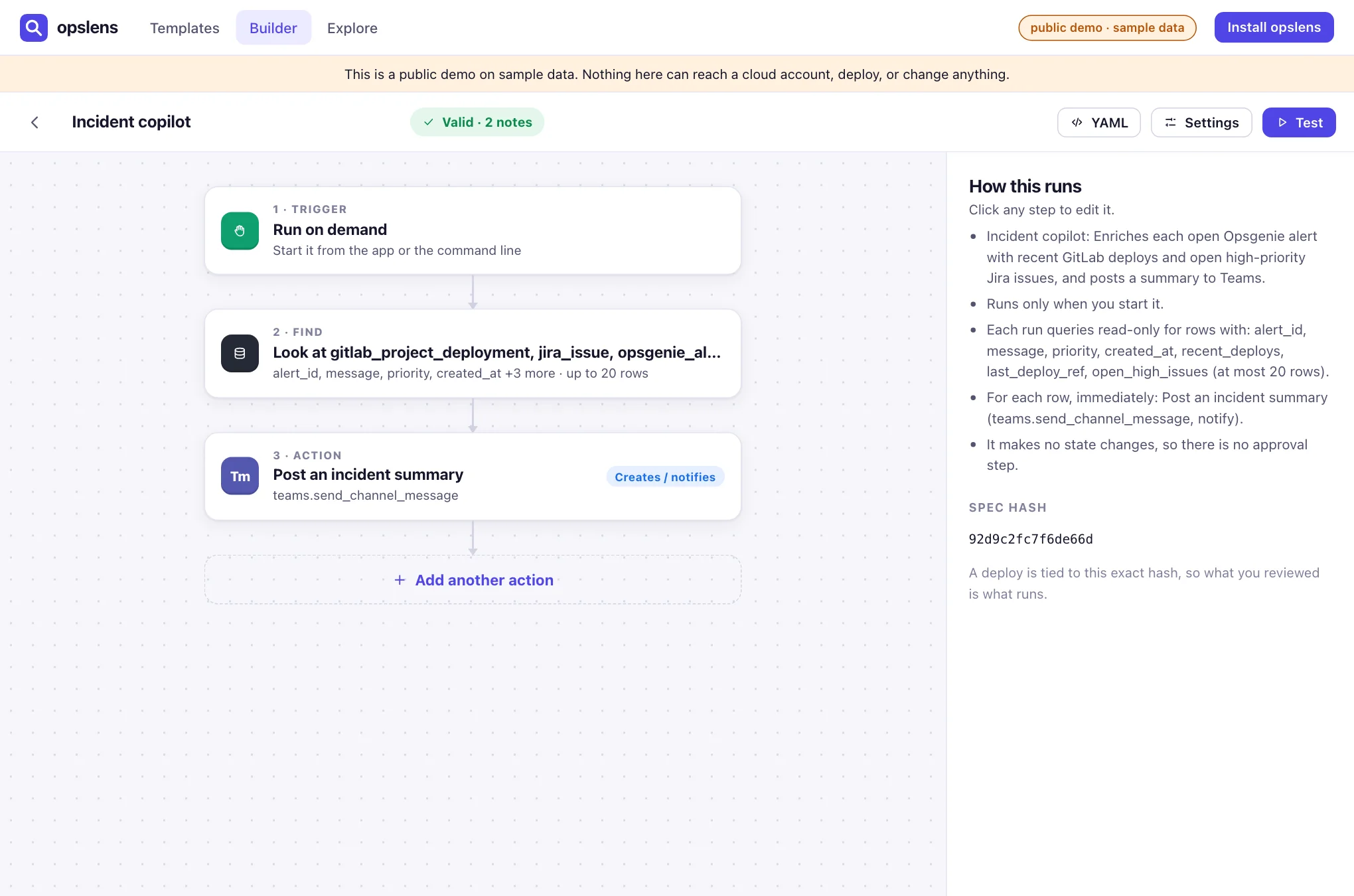
- Find, in one query across three services: each open Opsgenie alert, with the project's most recent GitLab deployment and any open high-priority Jira issues.
- Post a summary to a Teams channel for each alert, so the on-call person starts with context.
This is what Steampipe's cross-plugin joins are for: the data lives in three systems and one SELECT brings it together. Set your GitLab project id and Jira project in the query, and teams_team_id / teams_channel_id in the variables before deploying.
opslens pack install incident/incident-copilot --var teams_team_id=<id> --var teams_channel_id=<id>
Build your own
You don't need a template. In the builder, or in a file:
name: stopped_instances_review
title: Stopped EC2 instances to review
description: Opens a Jira ticket for each EC2 instance that has been stopped, so someone decides whether to keep it.
variables:
  jira_project:
    default: OPS
    description: Jira project key tickets are created in.
trigger:
  kind: schedule
  schedule: weekly
detect:
  max_items: 25
  sql: |
    select
      instance_id,
      region,
      account_id,
      instance_type
    from aws_ec2_instance
    where instance_state = 'stopped'
actions:
  - pipeline: jira.create_issue
    title: Open a review ticket
    args:
      project_key: "{var.jira_project}"
      issue_type: Task
      summary: "Stopped instance {instance_id} ({instance_type}) in {region}: keep or terminate?"
      description: "Instance {instance_id} in account {account_id} is stopped. Decide whether it is still needed."
Save it as stopped.yaml, then:
opslens render stopped.yaml --out generated
opslens preview generated/stopped_instances_review --source demo
Describe it instead
With an AI provider configured, say it in a sentence and read what comes back:
opslens generate "every week, find stopped EC2 instances and open a Jira ticket for each asking whether to keep them" --dry-run
The model fills in a spec like the one above. It goes through the same checks, and anything that changes things still waits for your approval.